Keep Local Git Projects in Sync With Structure and Control
Built for practical Git/Gitea and self-hosted Git workflows, it monitors local repositories, checks pull and push status, supports safe pulls, sequential push queues, optional auto-commit before push, tray status feedback, update checks and shutdown protection.

Structured Git Sync Control
More Than a Git Shortcut
Pro Beta Windows Sync Tool
A Cleaner Way to Keep Workstations in Sync
Instead of replacing Git or GitHub Desktop, the tool focuses on visibility, safer review steps, direct Git-server pushes, update awareness and long-term workflow control.
Practical Repository Control
A Different Git Sync Approach
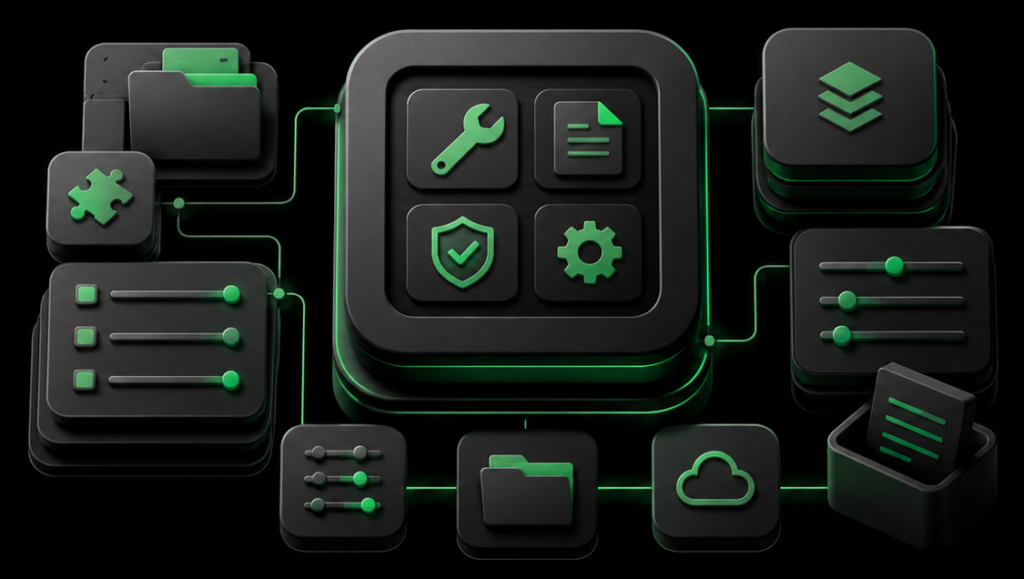
Core Git/Gitea Sync Monitor Components
- Repository discovery
- Safe pull checks
- Status monitor
- Auto-Commit Option
- Shutdown Protection
- Logs & diagnostics
Powerful Git Sync Features Built for Multi-Workstation Workflows
Repository Status Control
Safe Pull Workflow
Tray-Based Git Workflow
Sequential Push Queue
Auto-Commit Option
Shutdown Protection
License-Based Update Checks
Logs and Diagnostics
Choose the Right Git Sync Plan
Use the demo for a small, low-risk test setup. It shows the basic idea clearly: your projects stay real Git repositories, but daily sync status becomes easier to read and handle like a controlled, cloud-like workflow.
The Pro license costs 19,- € per year and includes 5 seats. Functionally, it uses the same core sync logic as Business: the difference is the smaller license size, not a reduced feature concept.
The Business license costs 299,- € per year and covers up to 100 seats or synchronized project slots. It does not change the basic workflow; it scales the same local-first Git control layer for larger teams.
Keep Local Git Projects Synchronized
Start with the Stable Beta and use the server-controlled demo or Pro license workflow for productive testing.
RIVANOX Git/Gitea Sync Monitor is currently provided as B2B Stable Beta software. A server-controlled demo can be configured through the RIVANOX license system, and continued productive use requires a valid Pro license. Please test carefully before using it in critical production environments.
Copyright © 2026 RIVANOX Git/Gitea Sync Monitor. Published by SCHEIBL+Partner. All rights reserved.
Frequently Asked Questions
RIVANOX Git/Gitea Sync Monitor is a Windows tray tool for monitoring and synchronizing multiple local Git repositories with Git/Gitea or compatible Git servers.
It gives you more structure than a simple status monitor by combining repository discovery, branch status checks, safe pulls, sequential push queues, optional auto-commit, update checks and Git sync audit views.
No. The tool uses the local Git client and your configured Git server. It adds visibility, safer workflow buttons, sequential push handling and shutdown protection around existing Git repositories.
Instead of acting only as a status indicator, Git/Gitea Sync Monitor focuses on structured Git workflows: repository discovery, pull status, push readiness, auto-commit options, shutdown protection and audit-friendly logs.
Many Git tools focus on a single repository at a time. RIVANOX Git/Gitea Sync Monitor focuses on the overview across many local projects and shows which repositories need pull, push or manual attention.
It brings repository status, safe pull handling, sequential push queues, optional auto-commit, shutdown protection, logs and update checks into one practical Git workflow.
Yes. The product is Pro-only, but the demo is controlled by the RIVANOX license server and can be made available according to the current product configuration.
The demo and license state are controlled by the RIVANOX license server. The tool shows only a simplified license status inside the app and keeps detailed licensing, product update and download logic on the server side.
You can contribute voluntarily via the BTC option where available or through Product page.
License required for productive use and never required for private or business use. Business, company, team and organizational use is currently free. This does not include individual support, SLA, warranty or guaranteed compatibility with every Git environment.

Yes. RIVANOX Git/Gitea Sync Monitor is designed as a Pro-only B2B Stable Beta tool for professional Git workflows.
The Pro license is not an individual support plan. It enables licensed use of the software according to the current RIVANOX product conditions.
The product is aimed at professional and business workflows. Agencies, freelancers, companies and small teams should test the Stable Beta carefully before using it in critical workflows.
Yes. The tool can use the local Git client to push committed changes directly to the configured Git server. GitHub Desktop is not required for the push action.
Test it carefully in your own Git environment, especially if your projects use different branches, remotes, credentials, hooks, build scripts or deployment workflows.
No. The tool is intentionally conservative. It does not force-push, does not automatically merge and does not hide conflicts. Unsafe repositories are skipped and shown in the dashboard.
This is one reason the product is positioned as a broader Git sync management workflow rather than only a status monitor.
The tool may contact the RIVANOX license server to validate the license, check version metadata and retrieve update information. Repository content is not sent to the license server.
The request is limited to product ID, tool version, site or domain reference, optional installation or license reference, timestamp and technical connection metadata required for the service. Page content, posts, media content, user data, admin email, analytics data and AI prompts are not sent as part of the product status check.
When a valid paid license is active and the license server reports a newer version, the tool can show a counted download link for the current release.
For normal Windows tray tool updates, site content and tool settings should remain preserved. Always back up your Git site before updating a Stable Beta tool.
RIVANOX Git/Gitea Sync Monitor is currently provided as Stable Beta software for careful productive testing.
It is intended as a stable, documented beta baseline. Behavior may still vary depending on Git version, branch setup, remote configuration, credentials, hooks, repository size and workflow complexity. Test carefully before relying on it in critical production environments.
Download the latest RIVANOX Git/Gitea Sync Monitor for Windows
Get the latest RIVANOX Git/Gitea Sync Monitor Stable Beta for Windows. The current release combines repository discovery, Git status monitoring, safe pull checks, sequential push workflows, optional auto-commit, tray-based feedback, logs and shutdown protection for structured multi-workstation Git and Gitea workflows.
Beta notice: This RIVANOX product is currently provided as a Stable Beta. While it is actively maintained and tested, behavior may vary depending on the operating environment, system configuration, installed software, security settings, third-party integrations and individual usage conditions.
Project contents remain under the configured Git remotes. Back up important repositories and review pending changes before updating a Stable Beta tool.